


myCashery: Play & Make Money
4.52.04K Reviews
App Specs
- Version
- 2.0.10
- Updated On
- License
- Free
- Downloads
- 500,000+
- Developer
- ayeT-Studios
- Categories
- Lifestyle
- Platform
- Android
Screenshots
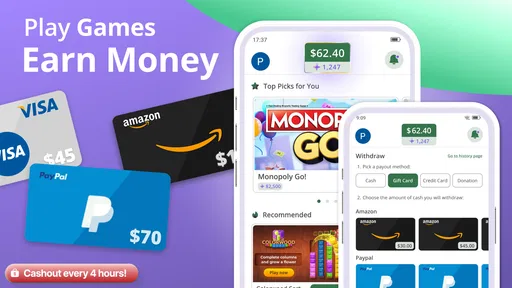
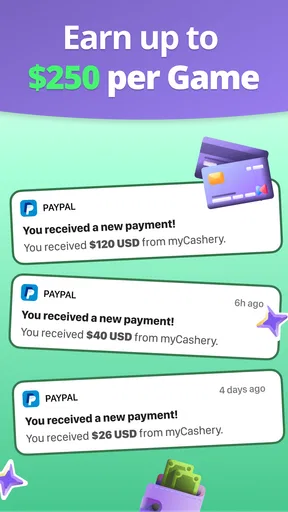
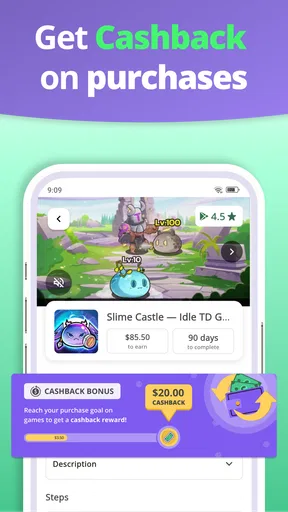
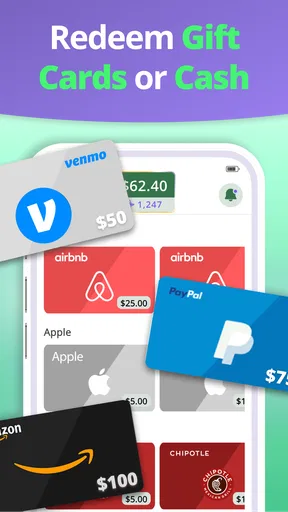
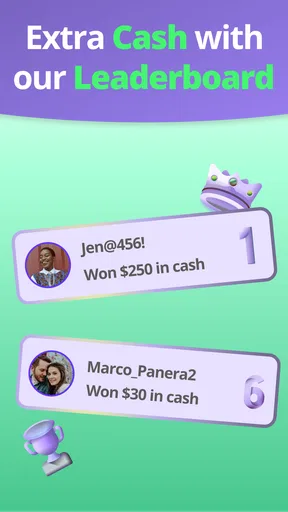

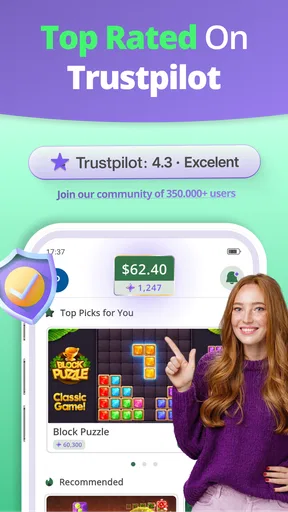
 Analysis by AppCompare
I approached myCashery: Play & Make Money as a small side activity rather than a serious income source. That distinction matters. The app sits in the lifestyle category and combines game-based tasks with surveys, giving me something to do during spare moments while offering the possibility of earning rewards. It is free to use, rated for mature users, and developed by ayeT-Studios.
What makes the experience worth discussing is not simply the promise of earning while playing. The real question is how smoothly the app behaves when the phone is moving between Wi-Fi and mobile data, when a survey takes longer than expected, or when a game session is interrupted. In my experience, connectivity is part of the product itself. A strong connection makes the app feel accessible and immediate; a weak one can turn a short break into a frustrating wait.
How the earning experience works in everyday use
The basic appeal is easy to understand: I can browse available activities, choose a game or survey, and spend a few minutes completing it. That makes the app a better fit for people who already have small gaps in their day, such as waiting for an appointment, sitting on public transport, or taking a break between errands. It is less convincing for anyone expecting a predictable hourly return.
I would not treat the rewards as payment for ordinary gaming time. The useful mindset is to see each activity as an optional exchange: my attention and time in return for a possible reward. The value depends on which tasks are available, how long they take, and whether I can complete them without interruption. That naturally changes from one session to another.
The app’s audience is reflected in its mature age rating. That is an important practical detail for households. I would not install it on a child’s device simply because the activities look casual or game-like. Adults should also remember that surveys can ask for personal opinions and demographic information, so I recommend reading each prompt carefully instead of answering automatically just to finish faster.
With a 4.5 average from roughly seventeen thousand ratings and more than half a million installs, the app has clearly attracted a substantial audience. Those figures suggest that the concept is easy for many people to understand, but they do not guarantee that every user will see the same tasks or receive the same experience. Availability can depend on timing, location, device conditions, and the strength of the connection during a session.
Why a stable connection changes the experience
Most of the important moments require communication between the app and its online services. Activity lists need to load, survey questions need to appear, and progress may need to be recorded after I complete a task. When the connection is stable, these transitions are easy to overlook. When it is unreliable, they become the main thing I notice.
Worth Reading Before You Choose

EA SPORTS FC Mobile 26 Is a Bigger Football Game, but It Takes Time

Flipboard Shows What News Apps Must Do Beyond the Feed

Switching to Android Auto Means Rethinking Your Driving Routine

Google Calendar Makes a Crowded Week Easier to Manage

Ludo King Makes the Most of the Minutes Between Plans

Baby Panda World Brings Quick Play to Modern Phones, but Its Game Library Feels Busy
This is especially visible when I switch from home Wi-Fi to mobile data. A task that looked ready can take longer to open, or a page can remain in a loading state while the phone changes networks. I learned to avoid starting a longer survey in a place where the signal is already marginal. A short game may be easy to abandon, but losing progress near the end of a questionnaire is much more irritating.
There is also a difference between having a connection and having a good connection. A phone may show signal while still struggling with delays. That can make the app appear unresponsive even when other parts of the phone work normally. For this reason, I prefer using it when I am stationary and connected to a dependable network, rather than treating it as something to launch casually in every location.
My most useful habit is checking the connection before committing to a longer activity. If pages are already slow to load, I choose a shorter option or wait. This simple decision reduces the chance of wasting time and makes the earning process feel more controlled.
Using it during commutes, breaks, and short waiting periods
The mobile format suits brief, irregular sessions. I can open the app with a specific purpose instead of planning a long gaming session. A five-minute wait at a pharmacy, a quiet moment before a meeting, or an evening when I want something more purposeful than scrolling can all be reasonable opportunities.
However, public spaces expose the app’s dependence on connectivity. Underground transport, crowded buildings, rural roads, and large events can all produce unstable service. I would not begin an activity just before boarding a train or entering a basement. The better workflow is to browse when the signal is strong, select something that fits the available time, and stop before the phone enters a predictable dead zone.
Battery awareness matters too, even though the app itself is not a replacement for a full game. Moving between activities, loading content, and playing external or linked games can make a short session less convenient on an already low battery. I keep sessions brief when I am away from a charger and avoid opening it when I need the phone for navigation or an urgent call.
For someone who enjoys casual games but dislikes committing to a large download or a lengthy campaign, the format can be appealing. The trade-off is that the activity is chosen partly for its reward potential, not purely for entertainment. If I want deep progression, rich storytelling, or a consistent competitive system, a dedicated game is a better choice. This app is designed around short, task-oriented use.
What happens when a task is interrupted
Interruption is where I judge reward apps most critically. A notification, accidental back gesture, network change, or phone call can break the rhythm. I try to treat every activity as unfinished until the app has clearly accepted the completion. Closing the screen immediately after the final question or game action is a mistake because the result may still need to be transmitted.
My preferred recovery routine is straightforward. I first return to the app rather than repeatedly tapping the same control. Then I check whether the activity has changed status or whether the task is still visible. If the connection dropped, I reconnect before attempting anything again. Repeating an action too quickly can create confusion about whether the first attempt was recorded.
This is a useful distinction between a technical problem and a task problem. If the whole interface is slow, the network is the likely source of friction. If the app responds normally but one activity does not update, I avoid assuming that starting it again will solve everything. I make a note of what I completed and give the app time to refresh. That patience is not exciting, but it is safer than rushing through a duplicate attempt.
I also recommend keeping expectations realistic after an interruption. A completed activity may not appear instantly in the same place where I started it. Online services often need a moment to synchronize, and the visible balance or status can lag behind the action. The practical lesson is to verify the result before leaving the app, while accepting that a brief delay does not automatically mean the session failed.
Making the app less demanding on mobile data
People using a limited mobile plan should be selective. Surveys are usually easier to fit into a data-conscious routine than extended game activity, but the exact network cost can vary with the content being loaded. I use Wi-Fi whenever possible, especially when browsing several options rather than completing one clearly chosen task.
A good approach is to avoid opening the app repeatedly without a plan. Each visit can involve refreshing available activities, so I prefer checking it once during a suitable break and choosing the most realistic option. This also helps with time management: I am less likely to spend several minutes browsing and then discover that the activity does not fit my remaining break.
When I am traveling, I become more cautious. Roaming conditions and unreliable networks make it a poor time to begin anything that requires multiple transitions. I would rather wait until I am back on a dependable connection than risk using data on a task I cannot finish comfortably. The app works best when connectivity is treated as a resource, not an invisible background detail.
Privacy awareness belongs in the same conversation. A survey-based earning app asks me to make choices about what I am comfortable sharing. I read questions instead of treating them as meaningless hurdles, and I skip an activity if its subject matter feels too personal for the reward being offered. The mature rating reinforces that this is an adult-oriented service, not a harmless children’s time filler.
How it compares with ordinary alternatives
Compared with a standard casual game, myCashery offers a different motivation. A normal game gives me entertainment, progression, or competition directly. Here, the attraction is the possibility of earning through selected activities. That can make a quiet break feel more productive, but it also means the experience may be less satisfying when the available task is repetitive or poorly matched to my interests.
Compared with survey-only reward apps, the game component gives the experience more variety. Someone who becomes bored answering questions may prefer switching to a game-related activity. On the other hand, a survey specialist may feel more efficient because its purpose is clearer and there are fewer changes between entertainment and research-style tasks.
Compared with a conventional side job, the app is far more flexible but much less dependable. I can use it without arranging a shift, yet I cannot treat it as guaranteed income. That is the central trade-off. It is suitable for occasional spare time, not for rent, bills, or a financial plan.
The current release is version 2.0.10 and supports devices running Android 8.0 or later. That makes checking device compatibility worthwhile before installing, particularly on an older phone. Since the app is free, the main investment is attention, data, battery, and patience rather than an upfront purchase.
Who should try it, and who should skip it
I would recommend it to an adult who enjoys casual mobile activities, has realistic expectations, and is comfortable using a connected app in short sessions. It is especially suitable for someone who likes having a choice between surveys and games instead of repeating one format every time.
I would skip it if I need guaranteed earnings, dislike questionnaires, or have very limited connectivity. It is also a poor match for anyone who becomes annoyed by waiting for online content to refresh. A dedicated game is better when entertainment is the only goal, while a more focused financial option may be preferable when predictability matters more than flexibility.
My ideal scenario is simple: I am at home or in a reliable Wi-Fi area, I have ten or fifteen quiet minutes, and I choose one activity I can realistically finish. I keep the app open until completion is reflected, avoid switching networks halfway through, and stop when the task is done rather than chasing a particular result. That routine makes the experience feel like a controlled bonus to my downtime.
My final view on connected, casual earning
ayeT-Studios has made an approachable lifestyle app for adults who want to combine casual play and surveys with the possibility of rewards. Its strongest quality is flexibility: I can fit it around spare moments instead of following a fixed schedule. Its biggest weakness is equally clear: the experience depends heavily on online availability, stable loading, and my willingness to accept that not every session will be equally worthwhile.
I would install it for occasional use, not as a replacement for work or a dedicated game. The best results come from choosing the right moment, protecting a stable connection, and treating every completion as something to verify before closing the app. If that sounds reasonable to you, myCashery is worth trying as a free, adult-focused way to make idle phone time feel a little more purposeful.
Pros
- Simple tasks make the app easy for beginners to explore.
- Reward options may appeal to users who prefer flexible earning methods.
- Short activities can fit conveniently into spare moments.
- The interface is generally straightforward to navigate.
- No specialized skills are required to start completing offers.
Cons
- Earnings per task can be low compared with the time required.
- Some offers may be unavailable depending on your country or device.
- Rewards may require reaching a minimum withdrawal threshold.
- Task availability can vary significantly from day to day.
- Certain offers may involve surveys
- sign-ups
- or promotional content.
FAQs for myCashery: Play & Make Money
What is myCashery: Play & Make Money?
myCashery: Play & Make Money is a rewards app that lets users earn points or cash-equivalent rewards by completing activities such as playing selected games, trying apps, answering surveys, or reaching specific milestones. After installing it, you should review the available offers carefully because rewards, requirements, and eligibility can vary depending on your country, device, and the advertisers currently working with the platform.
How do you earn rewards with myCashery?
Earning rewards generally involves choosing an offer inside the app, following its instructions, and completing the required action within the stated time. Some tasks may require reaching a game level, maintaining an installation, completing a survey, or registering with a service. Before starting, read the conditions closely, since incomplete tracking, using an existing account, ad blockers, VPNs, or switching devices may prevent the reward from being credited.
How can rewards be withdrawn from myCashery?
Withdrawal methods and minimum payout limits may differ according to your location and the options displayed in your account. Typically, users must accumulate enough balance, select an available payment or gift-card method, and provide any requested verification details. Processing may not be immediate, and some rewards can remain pending while the advertiser confirms completion. Always check the redemption screen for current fees, limits, and estimated processing times.
Is myCashery safe and legitimate to use?
myCashery can be used as an entertainment and rewards platform, but users should approach it with realistic expectations rather than treating it as a guaranteed source of income. Review the permissions requested, privacy policy, offer terms, and payment requirements before participating. Avoid submitting unnecessary sensitive information, never pay money to unlock a reward, and contact official support if an offer does not track or a withdrawal remains pending.
Why might an offer or reward not appear in myCashery?
A completed task may fail to track if the offer was started outside myCashery, the instructions were not followed exactly, tracking permissions were disabled, the app was reinstalled, or the advertiser detected previous participation. Rewards can also be delayed while being reviewed. Keep screenshots, completion records, and confirmation emails, then use the app’s support process promptly, since many offers have limited time windows for reporting missing credit.


